Launching Queue Monitor for Laravel
Full queue visibility without Horizon or Redis. Queue Monitor for Laravel tracks every job on any driver (database, SQS, Beanstalkd) with one composer require and a migration.

I released cboxdk/laravel-queue-monitor v1.2.0 today. Full queue job visibility for any Laravel application, no Horizon or Redis required. If your app has a database connection, you have monitoring.
The problem
Queue monitoring in Laravel has always meant Horizon, and Horizon means Redis. If you run database queues, SQS, or Beanstalkd, you get nothing. No job tracking, no failure history, no retry visibility. A job fails at 3am and your only signal is a row in the failed_jobs table.
Even with Horizon, you get aggregate dashboards: throughput, wait times, recent jobs. You don't get individual job tracking with retry chains, exception history, or the ability to replay a failed job from its stored payload.
Any driver, one migration
Queue Monitor hooks into Laravel's native queue events, the same ones every driver fires. Database, Redis, SQS, Beanstalkd, custom drivers.
composer require cboxdk/laravel-queue-monitor
php artisan vendor:publish --tag="queue-monitor-config"
php artisan migrate
That's it. Monitoring starts automatically. Every job dispatched after this point is tracked with a UUID, full lifecycle timestamps, server identification, and worker type detection.
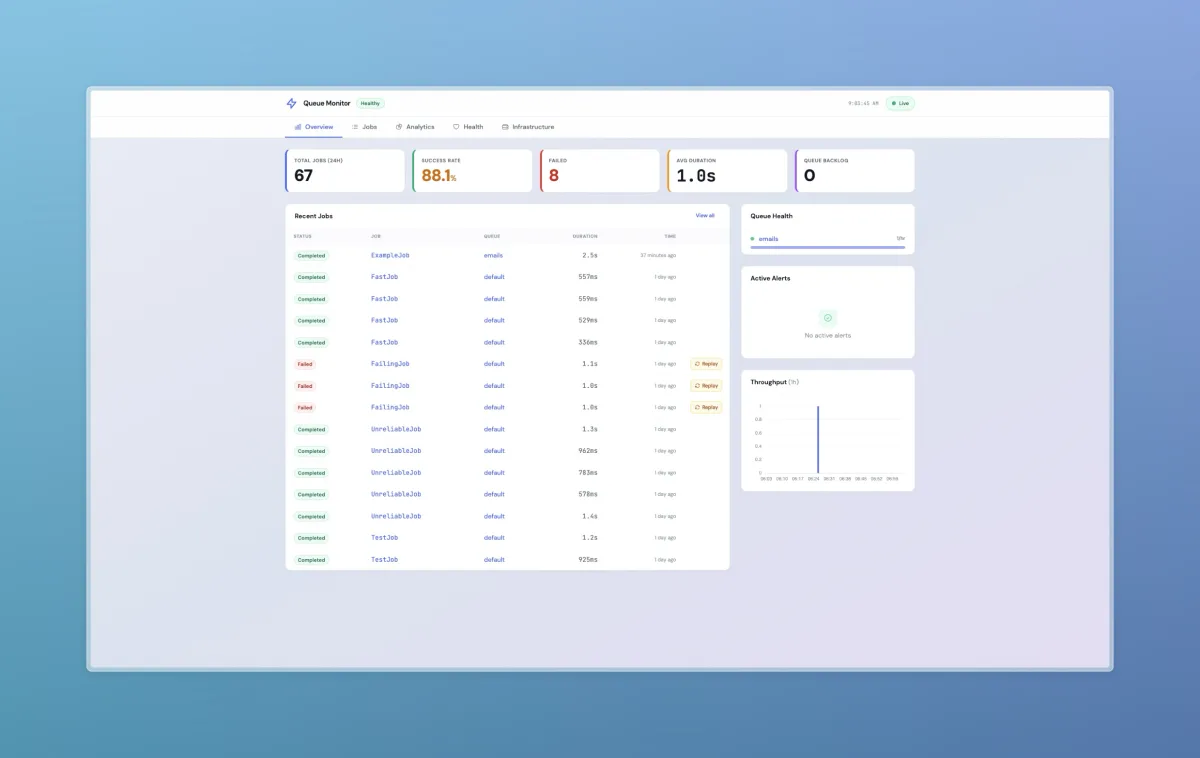
What you see
For every job:
Full lifecycle: queued → processing → completed/failed/timeout. Exact timestamps for each transition.
Retry chains: when a job fails and retries, each attempt is linked. See the full history across attempts.
Exception traces: full stack traces stored per attempt.
Per-job CPU and memory: actual CPU time in milliseconds and peak memory in MB, measured per execution. Also tracks worker memory limits and file descriptors. Powered by laravel-queue-metrics.
Replay: full payload stored (up to 64KB). Re-dispatch any failed job from the API, CLI, or programmatically.


Three ways to access it
Web dashboard at /queue-monitor. Overview, job list with filtering, per-job detail pages, analytics, and health checks.

Terminal dashboard: php artisan queue-monitor:dashboard launches a k9s-style TUI. Six views, keyboard navigation, status and queue filters, job drill-down. Works over SSH without a browser.
REST API: 14 endpoints for listing, filtering, replaying, and deleting jobs. Paginated with automatic payload redaction.
Works with Horizon too
If you do use Horizon, Queue Monitor doesn't replace it. Horizon gives you queue management and real-time throughput. Queue Monitor adds individual job tracking with retry chains, exception history, and replay. When Horizon is present, Queue Monitor picks up supervisor data and workload metrics. Same for Queue Autoscale. Scaling events and SLA tracking appear when installed.


The queue stack
This completes the Cbox queue observability stack:
Queue Metrics: aggregate metrics, health scores, Prometheus export
Queue Monitor: individual job tracking, replay, analytics
Queue Autoscale: predictive scaling based on queue depth and SLA targets
Each works standalone. Install them together and they integrate automatically.
Full documentation: laravel-queue-monitor docs.
