Approvals
Approvals
Console page: Overview › Approvals (/approvals), and AI agents › Approvals in an
environment console (/admin/approvals)
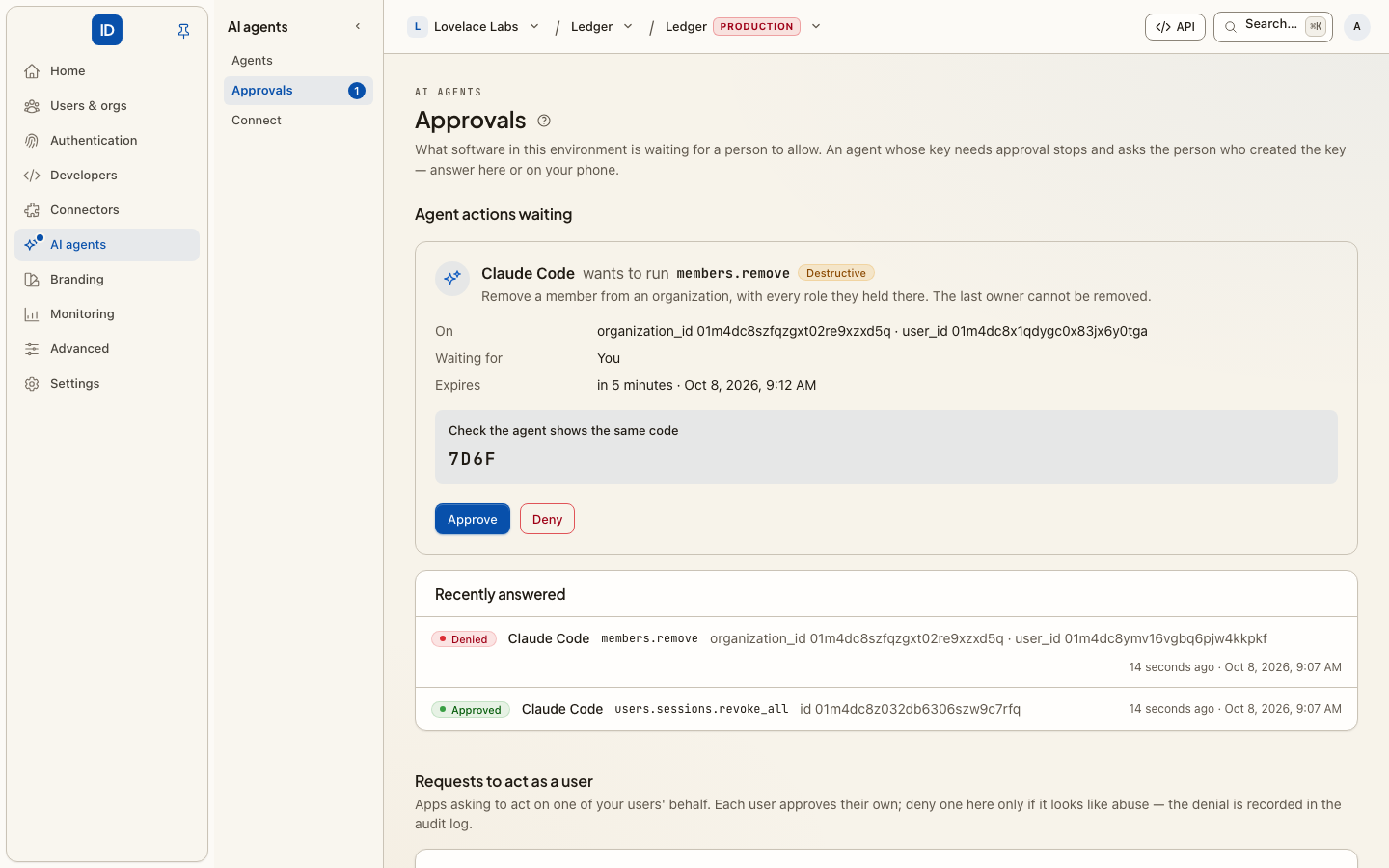
The two pages are named for what each does:
- Approvals in the organization console is yours: the requests to act as you, which only you can approve or deny. Most of this guide is about it.
- Approvals in an environment console is for an environment administrator: every pending request in the environment, so one that looks like abuse can be denied. See Reviewing requests across an environment.
Sometimes an app or an AI agent needs your go-ahead to act as you, and cannot ask on the screen in front of you — it is running on a server, in a terminal, or on a device with no browser. It asks here instead, and waits.
Each request names the app, and lists exactly what it is asking to be allowed to do. Nothing happens until you approve; deny, and the app is told no.
Before you approve
Did you start this? That is the whole question. A request you did not initiate, arriving out of nowhere, is someone trying to get you to authorise something on their behalf — deny it. This is the same reflex as an unexpected two-factor prompt.
Does the code match? Where the request shows a code, check it against the one displayed on the device or terminal that asked. If they differ, you are not approving what you think you are.
Do the permissions match the task? A request asking for more than the thing you were doing needs an explanation before it gets an approval.
Things worth knowing
- Approval is tied to you. It is your consent, recorded against your account — approving another person's request is not possible, and a request that does not belong to you is refused rather than silently approved.
- Requests expire. If one has been sitting here a while, deny it and start over rather than approving something stale.
- Every decision is recorded in the audit log, including denials.
Reviewing requests across an environment
AI agents › Approvals in the environment console is the inbox for both kinds of request.
An agent's held action. When a management key's approval policy holds an action, the request waits for the person who created the key. The inbox shows which agent asked, the action and its danger, what it is aimed at, its arguments (secrets are never stored, so they show as hidden), the code the agent was given and when it expires. That person can approve it here instead of on their phone; it is the same request, so the agent's retry works the same way. Approving a critical action asks for your password first. Any administrator of the environment can deny one. A count beside Approvals in the navigation shows how many are waiting for you.
A request to act as a user. Below them, an environment administrator sees every pending request from an app asking to act as one of the environment's users, a page at a time, with each scope explained in plain words beside its raw name. There is Deny and no Approve: an approval is the person's own consent for an agent to act as them, and nobody can give it on their behalf. Denying withholds access, so an administrator can shut down a request that looks wrong.
Building one
This page is for the person who receives a request. If you are building the thing that sends them, the shape is short.
Register the app under Apps and answer AI agent. That gives it a client secret and the backchannel grant. Then ask for approval:
curl -X POST https://<environment>.cboxid.com/oauth/backchannel_authentication \
  -u $CBOX_ID_CLIENT_ID:$CBOX_ID_CLIENT_SECRET \
  -d [email protected] \
  -d binding_message="Deploy release 4.2 to production" \
  -d scope="openid profile"
Two of those decide whether the person can answer well:
login_hintnames who is being asked. There is no other way to say it, and a request without one is refused rather than shown to somebody arbitrary.binding_messageis the sentence they read on this page. Write the specific action — "Deploy release 4.2 to production", not "Perform an operation". It is the only thing standing between an approval and a habit of approving.
The response carries an auth_req_id; poll /oauth/token with
grant_type=urn:openid:params:grant-type:ciba until they answer. authorization_pending
means keep waiting, access_denied means they said no and you should stop.
The scopes are bounded by what the app is registered for — a request naming one outside
that ceiling is refused with invalid_scope rather than quietly given less, because
there is no browser in front of it to notice a smaller grant.
Related
- Step-up approvals — the agent's side: why a call is held, and how it retries once approved.
- Trusted devices — the phone that answers these requests.
- Agents and MCP — connecting the agents that ask.
- Token vault — the credentials agents use once approved.
- Apps.
- Sign in from a CLI — the same idea when the person and the program are at the same keyboard.