Quickstarts
Quickstarts
Each page takes one framework from an empty project to a person signed in through Cbox ID: register the app, install the SDK, set the environment, add the sign-in and callback routes, protect a page, sign out. Expect about ten minutes.
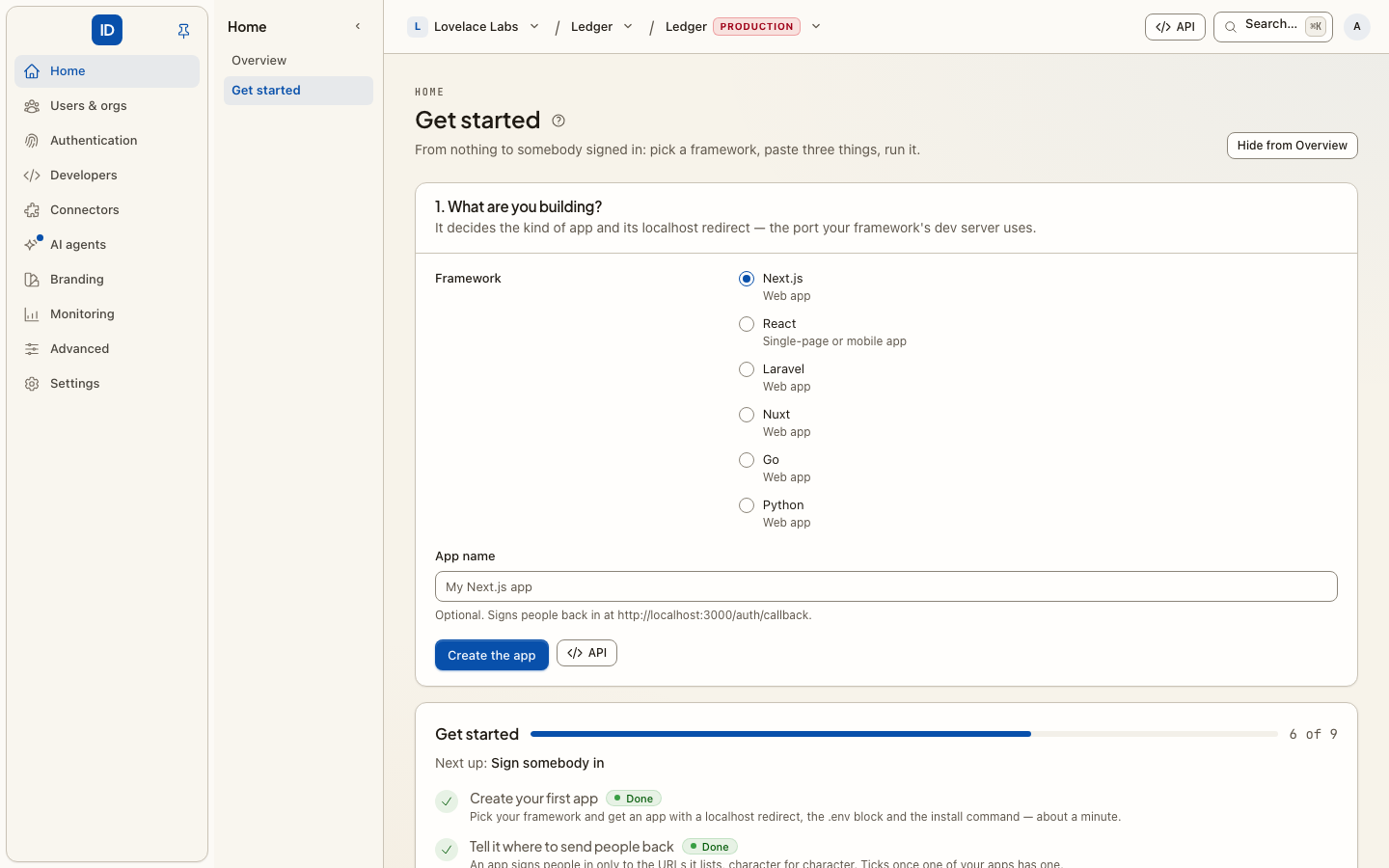
Pick your framework
| You are building | App kind to register | SDK | Quickstart |
|---|---|---|---|
| Next.js (App Router) | Web app | @cboxdk/id-js |
Next.js |
| React single-page app (Vite) | Single-page or mobile app | @cboxdk/id-js + @cboxdk/id-react |
React |
| Laravel | Web app | cboxdk/laravel-id-client |
Laravel |
| Nuxt | Web app | @cboxdk/id-nuxt |
Nuxt |
Go (net/http) |
Web app | github.com/cboxdk/id-go |
Go |
| Python (Flask) | Web app | cbox-id-client (installed from git) |
Python |
Building a CLI instead? See Sign in from a CLI. For the reasoning behind each step, see Integrate your app.
Before you start
Every quickstart needs the same three things.
-
An environment. Cbox ID is organized as workspace → project → environment → organizations → users. Your app signs people in to one environment, and each environment is a hard boundary with its own users, keys and issuer. Use a sandbox environment while you follow a quickstart. If you do not have one yet, create a project and an environment from Projects in your workspace console. See Workspaces & organizations.
-
An application. Step 1 of every quickstart registers it, in the environment console, with the
cboxCLI, or with the REST API. You come away with a client ID and, for a web app, a client secret that is shown once. -
Its issuer. Each environment is its own issuer, on its own host:
https://<environment>.cboxid.comon the hosted platform, or your own host if you run Cbox ID yourself. Confirm it with:curl https://<environment>.cboxid.com/.well-known/openid-configurationUse the
issuervalue from that response, character for character. The root host,cboxid.com, is not an identity provider: it answers 404 to discovery, and an SDK pointed at it fails before the first redirect.
The localhost redirect URIs
The quickstarts use the same redirect URI the console's Get started page registers for each framework, so an app created there works without editing:
| Framework | Redirect URI |
|---|---|
| Next.js | http://localhost:3000/auth/callback |
| React (Vite) | http://localhost:5173/callback |
| Laravel | http://localhost:8000/auth/callback |
| Nuxt | http://localhost:3000/auth/callback |
| Go | http://localhost:8080/auth/callback |
| Python (Flask) | http://localhost:5000/auth/callback |
Redirect URIs are matched exactly. When you deploy, register the production URI as well.